 Chambaly
Event Planning Quote: What to Include, Common Mistakes, and How to Write One From Your Phone
Planning events means selling trust in the future. The client pays today for something they will see months from now. Your quote is the first proof that you can deliver. If the document is clear and complete, they believe the event will be too.
A professional event planning quote separates your coordination fee from vendor costs, says how many meetings and site visits are included, and protects your calendar with a deposit and a cancellation policy. That clarity saves the client from "I thought that was included," and saves you from working for free.
Whether you plan weddings, quinceañeras, birthdays or corporate events, the same few lines decide whether the job is profitable or a headache.
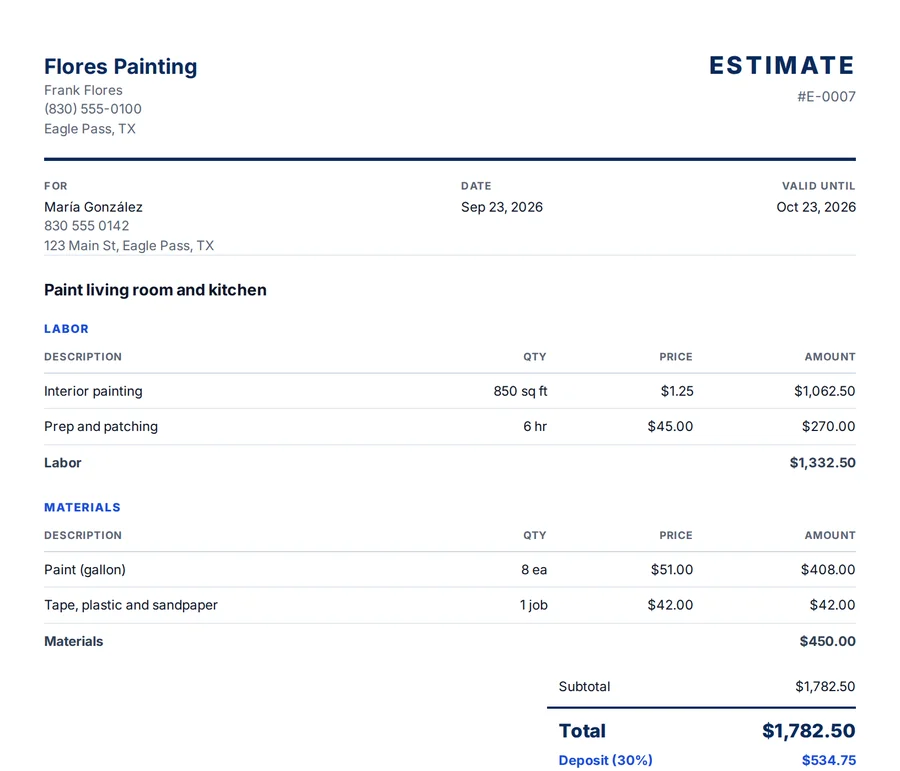
What to include in an event planning quote
- Type and size of the event. Wedding, quinceañera, corporate. Guest count, date and venue drive everything.
- Coordination fee. Your service level: full planning, partial planning or day-of coordination. Three levels, three prices.
- Vendors included. Which vendors you manage, with estimated budgets by category, and which ones the client hires directly.
- Meetings and site visits. How many are included in the package. Endless meetings eat your month.
- Day-of staff. Coordinators and on-site staff, with hours included and a set rate for overtime.
- Decor and setup. Design, rentals, flowers. Keep them separate from your fee so your work does not "disappear" inside the costs.
- Deposit and payment schedule. A deposit to hold the date, then payments in stages up to the event.
- Change and cancellation policy. What happens if the date, venue or guest count changes, in writing from day one.
Sample event planning quote lines
Here is how partial planning for a 150 guest wedding might look. These are example numbers only. Use your own prices.
| Line | Section | Qty | Unit | Price |
|---|---|---|---|---|
| Partial planning and coordination fee | Labor | 1 | job | $2,500.00 |
| Planning meetings included | Labor | 4 | meeting | $0.00 |
| Extra planning meeting (only if requested) | Labor | 1 | meeting | $120.00 |
| Day-of coordinator and assistant | Labor | 10 | hour | $85.00 |
| Centerpieces and table decor | Materials | 15 | table | $65.00 |
| Setup and teardown | Other | 1 | job | $400.00 |
Under the lines, list the vendors the client pays directly, the payment schedule and your cancellation terms.
If the guest count is not final yet, price per guest where it makes sense and note that the total will be updated once the final count is confirmed. That way the quote stays fair for both sides.
Event planning quote mistakes that cost you money
- Not separating your fee from vendor costs. Your work becomes invisible, and it looks "expensive."
- Unlimited meetings. Set how many are included, or your most nervous client becomes a full time job.
- No cancellation policy. A date that falls through with nothing in writing is a month of work lost.
- No overtime rate for the day. If the party runs late, your staff stays. Agree on the rate before the event.
How to write an event planning quote from your phone
Right after the first call, no computer and no typing:
- Open Chambaly and tap the microphone.
- Describe the event. "Wedding for 150, partial planning, four meetings included, coordinator and assistant 10 hours on the day, centerpieces for 15 tables, setup and teardown." Say it like you would brief your team.
- AI builds the lines. Your fee, staff, decor and setup each get a line. If you did not give a price, it suggests one and flags it for you to check.
- You set the price. The numbers are always yours. Your markup on decor and rentals stays inside the price and only you see it.
- Send it with a personal note. A clean PDF with your business name, every line, the deposit and how to pay you, by text, WhatsApp or email. Add your personal touch in the message that goes with it.
Planning for a family that prefers Spanish while the venue works in English? Make the same quote in either language. The AI translates your lines.
Why a detailed event quote works
- Your work stays visible. A separate fee line shows what you bring beyond the vendors.
- Your time is protected. Meetings, hours and overtime are defined before the first call runs long.
- Payments are on track. Turn the accepted quote into an invoice in one tap, and let Chambaly remind you on the due date.
Questions
Should I charge a percentage of the event budget or a flat fee?
Both are used. A percentage of the total budget is common for full planning, and a flat fee per package is common for partial or day-of coordination. Either way, the quote should say it clearly, because clients do not trust vague fees.
What is day-of coordination and how do I price it?
It is the entry level package: the client plans, and you run the event on the day. Use a flat fee with set hours and staff included, and state clearly that planning before the event is not included.
How much deposit should I ask for to hold a date?
That is your decision. Your calendar has limited dates, and holding one means turning others down, so many planners ask for a deposit to book and then a payment schedule in stages up to the event. Put it in writing on the quote.
Can I send event quotes quickly without losing the personal touch?
Yes. With Chambaly you describe the event and get a clean PDF quote, then add your personal message when you send it by text, WhatsApp or email. It is coming soon for iPhone and Android. Leave your email on this page and we will let you know.