 Chambaly
Remodeling Estimate: What to Include, Common Mistakes, and How to Write One From Your Phone
A remodel is the biggest ticket in the trades, and it causes the most fights when things were only agreed out loud. Here the estimate is not a courtesy. It is the document that says what you deliver, when, for how much, and what happens when the customer changes their mind halfway through.
A professional remodeling estimate breaks the work into phases (demolition, rough-in, finishes), gives tentative dates, ties payments to progress, and puts the golden rule in writing: changes are priced separately and approved before the work is done.
Contractors lose the whole profit on a job over one "small change" that nobody wrote down. The one who writes the estimate by phases, with a clear change order rule, does not just win the job. They finish it without a fight.
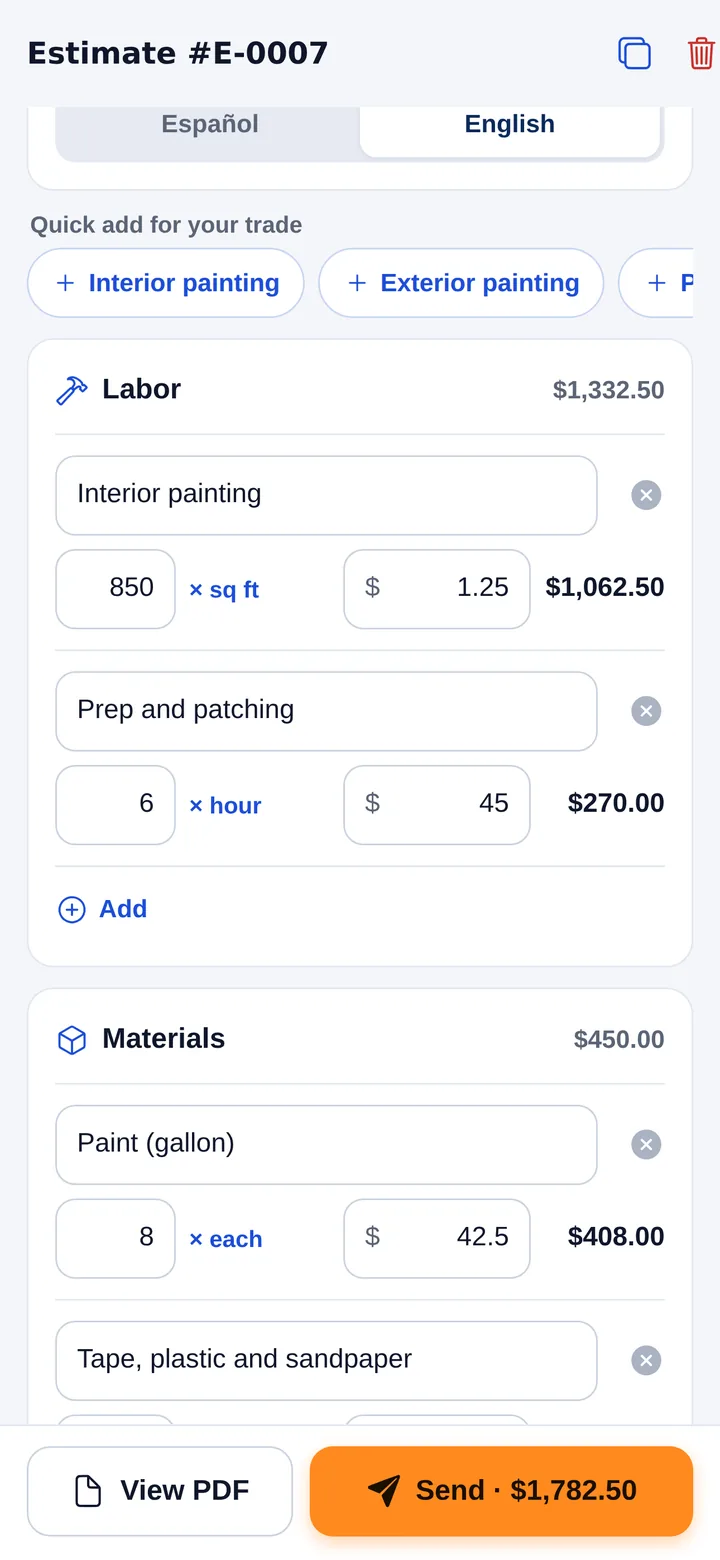
What to include in a remodeling estimate
- Scope by phase. Demolition, framing, plumbing and electrical rough-in, drywall, finishes. Each phase with its own amount.
- Materials with allowances. Set a budget per category, like flooring, cabinets, countertops, tile and fixtures. If the customer picks something more expensive, they pay the difference.
- Labor. Your crew and any subcontractors, with estimated days per phase.
- Permits. Who pulls them and what they cost. Most remodels need at least one.
- Payment schedule. A deposit plus payments tied to finished phases. Never end up financing the job yourself.
- Change orders. The most important clause: every change is priced and approved in writing before it is done.
- Debris and cleanup. Dumpster, haul offs and final cleaning, with real amounts.
- Valid until date and exclusions. How long the price holds, and a clear list of what is NOT included, such as moving furniture, pest problems, mold, asbestos or hidden structural damage.
Sample remodeling estimate lines
Here is how a small kitchen remodel might look, grouped by phase. These are example numbers only. Use your own prices.
| Line | Section | Qty | Unit | Price |
|---|---|---|---|---|
| Phase 1: Demolition of cabinets, counters and backsplash | Labor | 1 | job | $1,200.00 |
| Phase 2: Move two water lines and add two circuits (licensed subs) | Labor | 1 | job | $2,400.00 |
| Phase 3: Install cabinets and countertop | Labor | 1 | job | $2,800.00 |
| Cabinet allowance | Materials | 1 | job | $6,000.00 |
| Countertop allowance | Materials | 40 | sq ft | $65.00 |
| Permit | Other | 1 | job | $350.00 |
| Dumpster and final cleaning | Other | 1 | job | $550.00 |
Under the lines, write the payment schedule by phase and the change order rule. Those two notes do more to protect your profit than any line above them.
Remodeling estimate mistakes that cost you money
- A fixed price with no allowances. The customer picks imported tile and your margin disappears.
- Accepting changes by word of mouth. Without a written change order, that extra work is free.
- Getting paid at the end. Payments tied to progress keep your cash flowing and keep the customer committed.
- No exclusions list. If it is not written as excluded, the customer will assume it was included.
How to write a remodeling estimate from your phone
Standing on the job site, no computer and no typing:
- Open Chambaly and tap the microphone.
- Describe the job. "Kitchen remodel: demo, move two water lines, install cabinets and countertop, paint. Cabinet allowance 6,000. Payments in three phases." Talk to it like you would talk to your foreman.
- AI builds the lines. It splits labor, materials and other costs. If you did not give a price, it suggests one and flags it for you to check.
- You set the price. The numbers are always yours. Add markup on materials; it stays inside the price and only you see it. Set the deposit.
- Send it by text, WhatsApp or email. A clean PDF with your business name, every line, the deposit and how to pay you.
When the customer asks for a change mid job, send a short separate estimate for just that change. Once they accept it in writing, do the work. That is your change order.
For the basics that apply to every trade, see how to write an estimate.
Why a detailed remodeling estimate works
- It ends "I thought that was included." Phases, allowances and exclusions are all in writing.
- It keeps you out of the bank role. Progress payments mean you are never carrying the customer's project.
- It makes invoicing easy. Turn the accepted estimate into an invoice in one tap, and Chambaly reminds you when a payment is due.
Questions
What is an allowance in a remodeling estimate?
An allowance is a set budget for a material the customer will choose later, like tile or cabinets. If they pick something that costs more, they pay the difference. It keeps your price fair and your margin safe.
How should I schedule payments on a remodel?
Ask for a deposit, then tie the rest to finished phases, like demolition done, rough-in inspected, cabinets installed and final walkthrough. Put the schedule on the estimate so everyone agrees before you start.
How do I handle changes the customer asks for mid project?
Price each change on its own and get the customer's written approval before doing it. A short separate estimate works as your change order.
Can I write a remodeling estimate from my phone?
Yes. With Chambaly you describe the job and get a PDF estimate ready to send by text, WhatsApp or email. It is coming soon for iPhone and Android. Leave your email on this page and we will let you know.