 Chambaly
How to organize receipts for taxes without the shoebox
The shoebox full of crumpled receipts is a classic small business problem. Tax season comes, you sit down with a pile of faded paper, and you cannot remember what half of those purchases were for.
Keeping your expenses in order is not just your accountant's job. It shows you what you really make on each job, helps you avoid missing business expenses, and saves time for whoever prepares your taxes.
This guide covers what to record for each receipt, a simple system you can keep up with, common mistakes, and how to snap and sort receipts with AI on your phone. These are general organizing tips, not tax advice.
Why receipts get lost
Gas for the truck, a new drill, materials you paid for out of pocket: if it is not written down, nobody remembers a March receipt in December. Paper receipts fade, get wet or end up under the seat. What is not recorded is hard to prove later.
The fix is simple: record each expense the day you spend the money, not once a year.
What to record for every receipt
- Store or vendor. Where you bought it.
- Date. The day of the purchase.
- Total. What you paid, including tax.
- Category. Materials, tools, fuel, phone, advertising and so on.
- Which job it was for. If materials were for a specific customer, note it. That tells you whether the job made money.
- A clear image. The whole receipt, readable, with the total and date visible.
A simple receipt system that lasts
- Use one card or account for business only. Keeping personal and business spending apart makes everything easier.
- Snap a photo the same day. Before the receipt fades or gets lost in the truck.
- Keep a short, fixed list of categories. Materials, tools, vehicle, phone, insurance, advertising. Ask your tax professional which categories are most useful for them.
- Write down cash expenses with no receipt. Date, amount, where and what it was for, on the same day.
- Review once a month. Catch missing receipts and fix wrong categories while you still remember.
- Hand over a clean file at tax time. A spreadsheet your preparer can open beats a bag of paper.
How to organize receipts with AI
- Take a photo when you buy. At the hardware store, the gas station or the supply house.
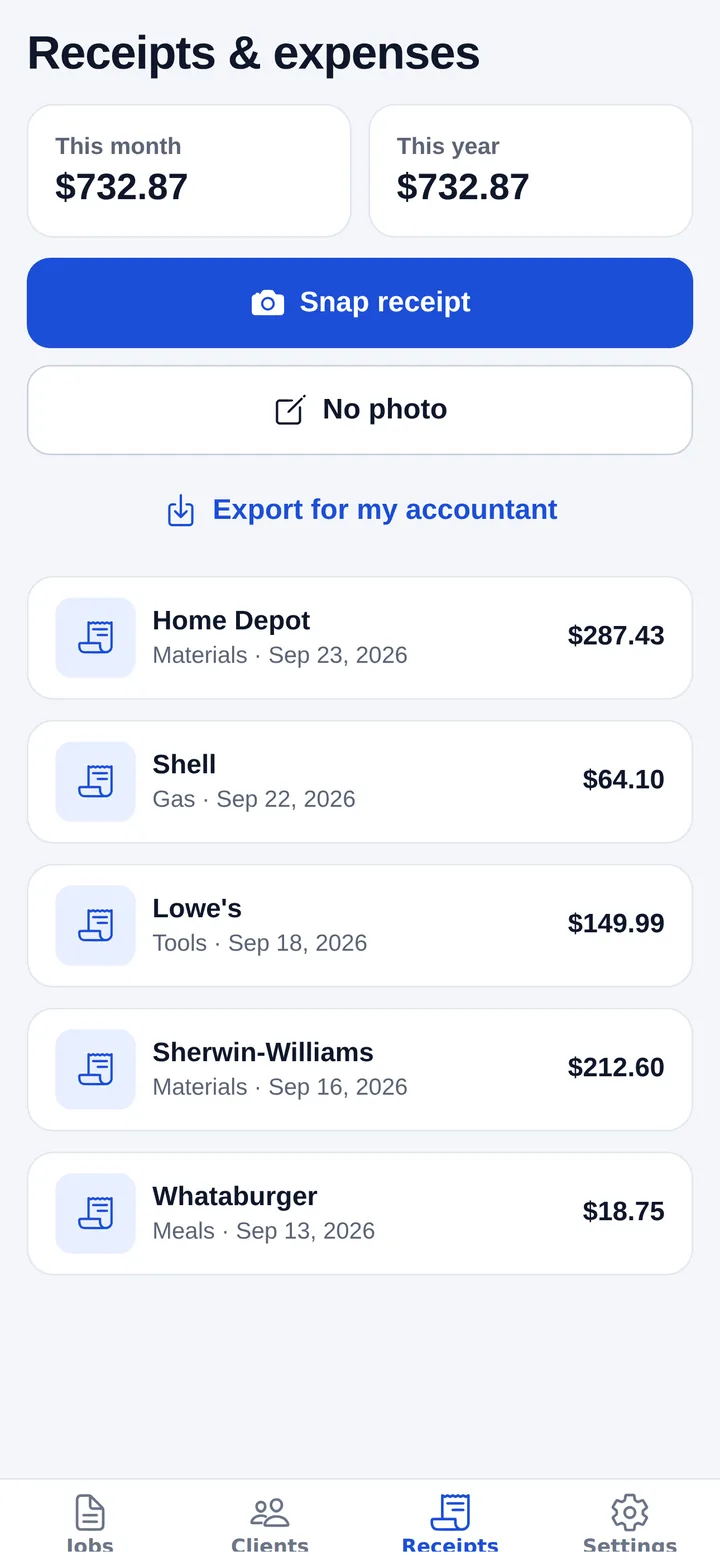
- AI reads the receipt. Chambaly pulls out the store, date, total and a category, so you do not have to type anything.
- Check and confirm. A quick look to make sure the total and category are right. You have the final word.
- Export for your accountant. With Pro you can export your receipts to a CSV file that opens in Excel, Google Sheets or most accounting software.
Since you can also write estimates and invoices in the same app, your income and your expenses end up in one place. See how to make an invoice.
Receipts to watch for in the trades
- Supply house and hardware store runs. Small, frequent purchases add up and are the easiest to lose.
- Fuel and vehicle costs. Gas, oil changes, tires and repairs for the work truck. Ask your tax professional how they want vehicle use tracked.
- Tools and equipment. Keep the receipt for anything big, and note the date you started using it.
- Dump and disposal fees. Haul-away tickets are often handwritten. Snap them before they get lost.
- Phone and software. Monthly bills that are easy to forget because they are not paper receipts.
Common receipt mistakes
- Waiting until April. Sorting a whole year at once is where expenses get missed.
- Blurry or cut-off photos. If you cannot read the total or the date, the photo is not much use.
- Mixing personal purchases. If one receipt has home and business items, note which is which.
- Only tracking expenses. Your invoices tell the other half of the story. Keep both in order.
A quick note on taxes
If you are self-employed in the US, your business income and expenses are often reported on IRS Schedule C. Which expenses you can deduct, how much, and how long to keep your records depends on your situation. Chambaly keeps your expenses organized and categorized, but it does not give tax advice.
Check with a tax professional about your own situation before you file.
If customers are slow to pay you, that affects your books too. Here is how to collect overdue invoices.
Questions
Can AI read my receipts?
Yes. You take a photo and Chambaly's AI pulls out the store, date, total and a category. You review it and confirm.
Are photos of receipts good enough for taxes?
Many people keep digital copies, but what you need to keep depends on your situation. Ask your tax professional, and hold on to originals for big purchases until you have checked.
How long should I keep receipts?
It depends on your situation and the type of record. The IRS publishes record-keeping guidance, and your tax professional can tell you what applies to you.
What is Schedule C?
It is the IRS form many self-employed people in the US use to report business income and expenses. Whether it applies to you, and how to fill it out, is a question for your tax professional.
Is the receipt feature free?
The Free plan includes 10 AI uses a month. Exporting receipts to CSV is part of Pro, which is $9.99 a month or $59.99 a year. Chambaly is coming soon to iPhone and Android; leave your email on this page and we will let you know.